Node-RED, un retour à la guerre froide ?#
Node-RED est un produit issue des laboratoires IBM. Il permet la création et la gestion de workflows (chaine de traitements) via l’interconnexion de “nodes” (noeuds).
La liaison de noeuds peut être un simple flux entrée –> sortie, ou être imbriquée avec des noeuds de traitement logiques, d’autres workflows…
Laisser libre court à votre imagination, selon vos besoins !
Objectifs#
Couvrir, l’installation de Node-RED sur OpenBSD, pour le mode de fonctionnement suivant:
- Node-RED en mode daemon via l’utilisateur _nodered
- Le répertoire de travail sur un disque en mirroir : /data/nodered
- Accès en https uniquement
- Accès via authentification (login & mot de passe)
Prérequis#
Une plateforme fonctionnant sous OpenBSD (architecture 64bits uniquement), ici notre RockPro64
Installation#
Il faudra installer, les “packages” suivants :
- NodeJs
- Node-RED
- Node-Red-Admin
Le dernier est un module node-red, pour la gestion des utilisateurs applicatifs.
doas pkg_add node
doas npm install -g --unsafe-perm node-red
doas npm install -g node-red-admin
Créer le répertoire de travail:
doas mkdir -p /data/nodered/.ssl
Ajouter l’utilisateur système:
doas groupadd -v -g 777 _node-red
doas useradd -v -c "Node Red daemon" -d /data/nodered -g 777 -s /sbin/nologin -u 777 _node-red
chmod 755 /etc/rc.d/node-red
Initialiser l’instance Node-Red ; /data/node-red
doas -u _node-red /usr/local/bin/node-red --title "Node-Red : Home Automation" --userDir /data/node-red
Tester#
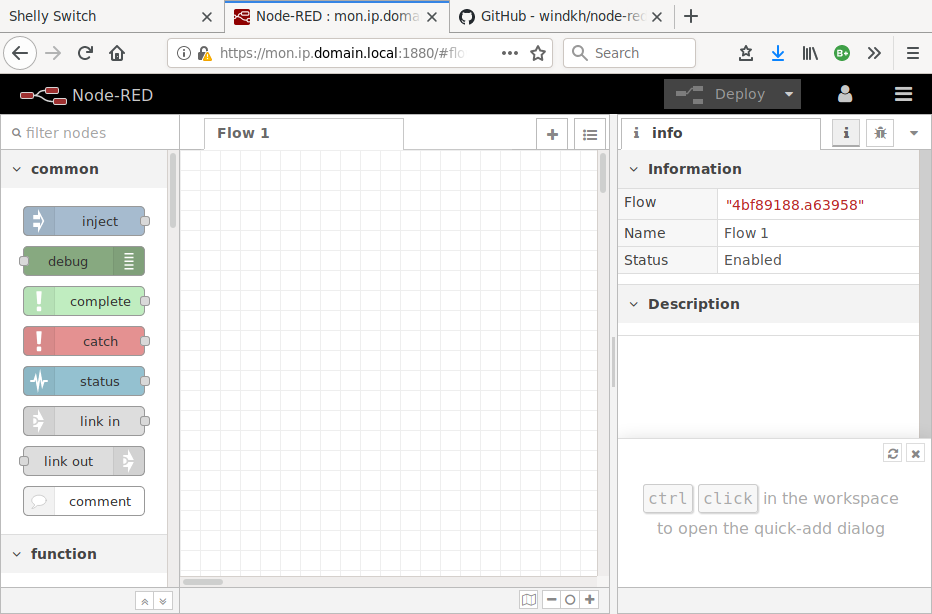
ouvrir vôtre navigateur à l’url: http://mon.ip.domain.local:1880
Arreter Node-Red via CTRL+C
Configuration#
Démarrage par défaut#
/etc/rc.local
if [ -x /usr/local/bin/node-red ]; then
echo 'Starting Node-Red' && doas -u _node-red /usr/local/bin/node-red --title "Home Automation" --userDir /data/nodered
fi
Sécuriser Node-RED#
1. Administrateur applicatif#
Créer un mot de passe chiffré:
node-red-admin hash-pw
Password: <Entrer un mot de passe>
$2a$08$gxCsv3bGcPOvlarJiZw.QOqNfQKak7.vzltgRIAbGScbvGdOfE3HO
Décommenter l’objet utilisateur adminAuth dans /var/data/nodered/settings.js
// Securing Node-RED
// -----------------
// To password protect the Node-RED editor and admin API, the following
// property can be used. See http://nodered.org/docs/security.html for details.
adminAuth: {
    type: "credentials",
    users: [{
    username: "admin",
        password: "$2a$08$gxCsv3bGcPOvlarJiZw.QOqNfQKak7.vzltgRIAbGScbvGdOfE3HO",
        permissions: "*"
    }]
},
2. Accès au dashboard#
Créer un mot de passe chiffré:
node-red-admin hash-pw
Password: <Entrer un mot de passe>
$2a$08$Fa6lO1rVaMPZYsxivz/PVOJoMly4/.Qi9EqMhReMMOLzutmVcC8Ty
Décommenter le node dans /data/nodered/setting.js
// To password protect the node-defined HTTP endpoints (httpNodeRoot), or
// the static content (httpStatic), the following properties can be used.
// The pass field is a bcrypt hash of the password.
// See http://nodered.org/docs/security.html#generating-the-password-hash
httpNodeAuth: {user:"dashUser",pass:"$2a$08$Fa6lO1rVaMPZYsxivz/PVOJoMly4/.Qi9EqMhReMMOLzutmVcC8Ty"},
//httpStaticAuth: {user:"user",pass:"$2a$08$zZWtXTja0fB1pzD4sHCMyOCMYz2Z6dNbM6tl8sJogENOMcxWV9DN."},
3. Accès https#
Créer un certificat SSL auto-signé:
doas cd /data/nodered/.ssl/
doas openssl genrsa -out node.key 2048
doas openssl req -new -sha256 -key node.key -out node.csr
doas openssl x509 -req -in node.csr -signkey node.key -out node.crt
doas chmod 400 *
Décommenter dans /data/nodered/setting.js
// The `https` setting requires the `fs` module. Uncomment the following
// to make it available:
var fs = require("fs");

// The following property can be used to enable HTTPS
// See http://nodejs.org/api/https.html#https_https_createserver_options_requestlistener
// for details on its contents.
// See the comment at the top of this file on how to load the `fs` module used by
// this setting.
//
https: {
    key: fs.readFileSync(__dirname +'/.ssl/node.key'),
    cert: fs.readFileSync(__dirname +'/.ssl/node.crt')
// The following property can be used to cause insecure HTTP connections to
// be redirected to HTTPS.
requireHttps: true,
}
4. Démarrer le service#
doas echo 'Starting Node-Red' && doas -u _node-red /usr/local/bin/node-red --title "Home Automation" --userDir /data/nodered
Au premier démarrage, l’erreur de certificat est normale
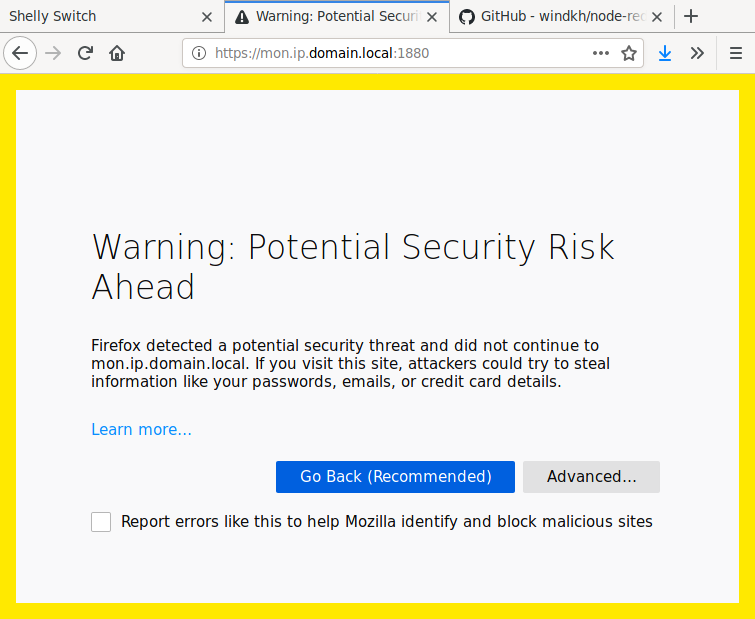
Cliquer sur “Advanced”
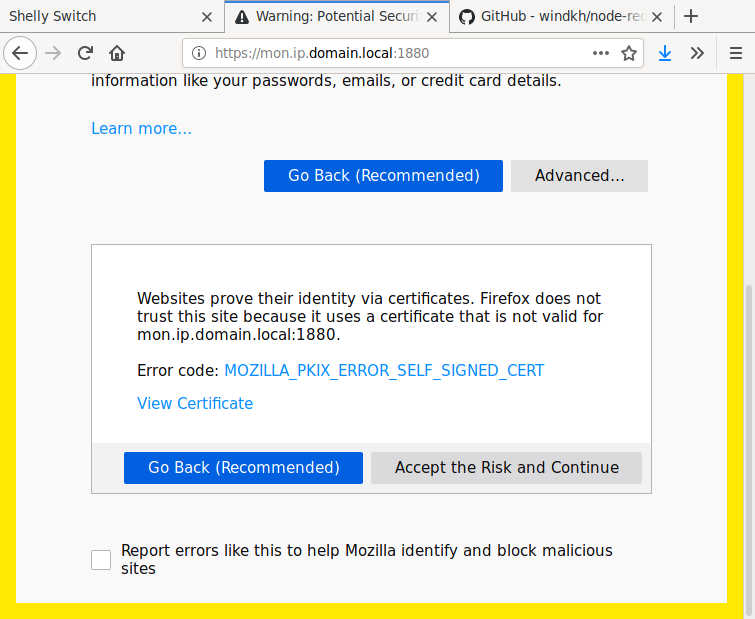
Cliquer sur “Accept the risk and Continue”
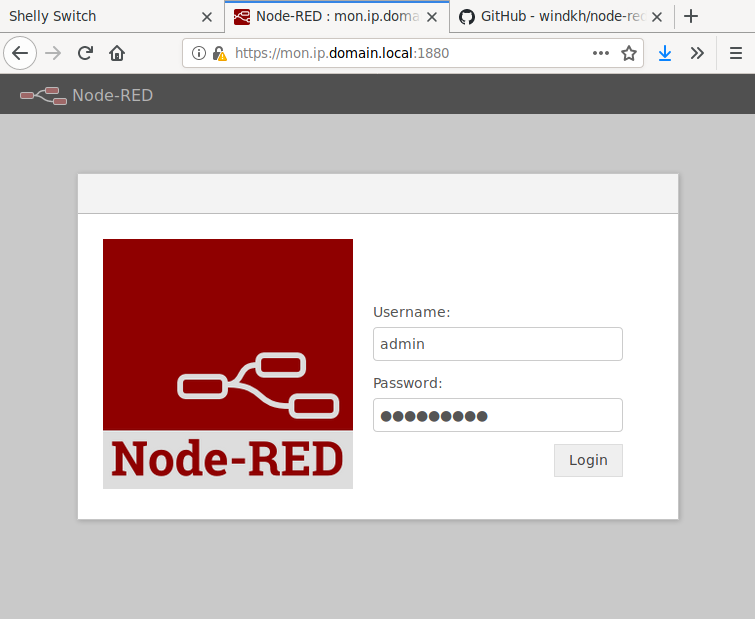
Enjoy !